
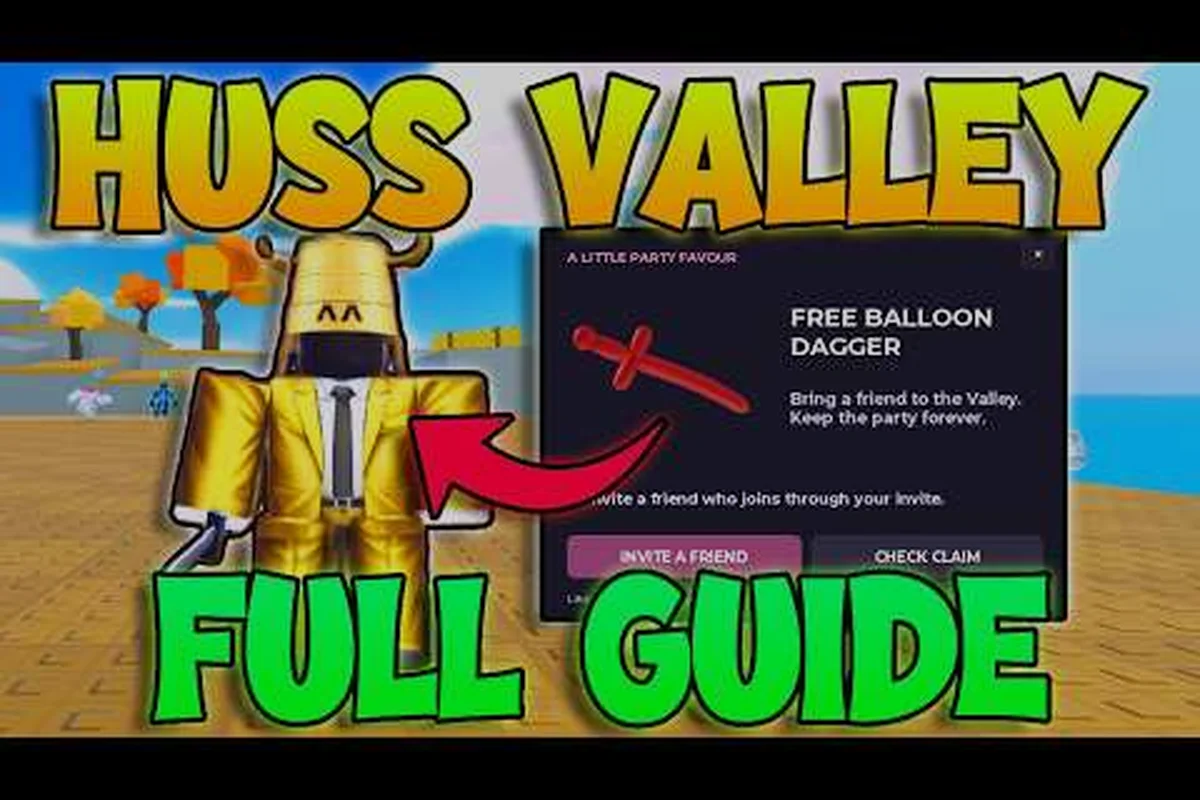
Huss Valley drops you into a tense industrial arena where one Chaser hunts up to 15 Runners, and knowing the exact controls before your first round is the difference between an early elimination and a clean escape. This walkthrough covers the tutorial flow, every default keybind, and the movement tech that keeps you alive. Whether you are sprinting across Folk Valley or sliding under a closing gap, the right inputs turn panic into a plan.
What the First-Time Tutorial Covers
The first time you load into Huss Valley, the game does not hold your hand with a lengthy scripted sequence. Instead, the tutorial is embedded in the round structure itself, and the official game page lists the essential inputs you need before the timer starts. You spawn in the lobby, pick your side, and immediately need to know how to move, vault, and use your ability.
Because the tutorial is so short, most new players learn the hard way during their first chase. The key is to treat your first two rounds as a live practice session. The Vault input on Space lets you clear low obstacles without losing momentum, while the Slide on C keeps your hitbox low when a Chaser is closing in. These two mechanics form the foundation of every escape route.
The game also gives you a Journal on J, which tracks your current objective and any tasks assigned to you. Pressing Get Task on T pulls up your next assignment, and the Leaderboard on Y shows who is still alive. Understanding these menu keys early means you spend less time fumbling through the interface and more time watching the Chaser's position.
What the Tutorial Does Not Teach You
The tutorial covers the basics, but it skips several movement details that experienced players rely on. The Shiftlock on Left Control locks your camera behind your character, which makes precise jumps and tight cornering far easier. Without Shiftlock, your camera swings freely and you will miss vaults that should be simple.
Another hidden mechanic is the Ability on Q. Each Runner has a unique ability that can create distance, stun the Chaser, or reveal nearby threats. The tutorial does not explain when to use it, but the general rule is to save it for moments when the Chaser is within striking distance. Popping your ability too early wastes the cooldown and leaves you vulnerable.
Community reports from the Roblox page confirm that controller mapping uses Triangle/Y for vault and Circle/B for slide, which mirrors the keyboard layout. If you are playing on a controller, spend a minute in the lobby remapping anything that feels awkward before your first real round.
| Input | Keyboard | Controller | Purpose |
|---|---|---|---|
| Vault | Space | Triangle / Y | Clear low obstacles |
| Slide | C | Circle / B | Reduce hitbox, gain speed |
| Shiftlock | Left Control | N/A | Lock camera behind character |
| Ability | Q | Square / X | Use Runner-specific skill |
| Journal | J | N/A | View objectives and tasks |
| Get Task | T | N/A | Pull up current assignment |
| Leaderboard | Y | N/A | Check alive players |
Getting Comfortable With the Movement Keys
Movement in Huss Valley is not just about holding W and hoping for the best. The game rewards players who chain vaults, slides, and tight turns into a single fluid route. Because the Chaser is slightly faster in a straight line, your survival depends on breaking line of sight and using verticality.
The Slide is your most versatile tool. It reduces your hitbox for a split second, which can dodge a Chaser's lunge if timed correctly. It also preserves momentum when you hit a downhill slope, letting you carry speed into a vault. Practice chaining a slide directly into a vault on flat ground until the inputs feel automatic.
The Vault is equally important for map traversal. Folk Valley is filled with low walls, railings, and industrial debris that block a normal sprint. Vaulting over these obstacles keeps your route unpredictable, and a Chaser who has to run around the same obstacle loses valuable ground. The best Runners never take the long way when a vault is available.
Camera Control and Awareness
Your camera is your most underrated survival tool. The Shiftlock toggle on Left Control keeps your view aligned with your movement direction, which makes it easier to judge distances for vaults and slides. Without it, you will frequently misjudge a jump and clip the edge of an obstacle.
While running, you should constantly flick your camera behind you to track the Chaser's position. This is harder with Shiftlock enabled, so many experienced players toggle it on and off depending on the situation. Use Shiftlock for precise platforming sections, then release it when you need full 360-degree awareness.
The Leaderboard on Y gives you a quick read on how many Runners are still alive. If the number drops suddenly, the Chaser is likely nearby and you should reposition. Keeping one eye on the leaderboard and one on your escape route is a habit that separates consistent survivors from early eliminations.
| Movement Technique | Input Sequence | Best Use Case | Risk Level |
|---|---|---|---|
| Slide into Vault | C then Space | Clearing low walls at speed | Low |
| Vault into Slide | Space then C | Landing from height, dodging lunge | Medium |
| Shiftlock Cornering | Left Control + A/D | Tight industrial corridors | Low |
| Camera Flick | Mouse + release Shiftlock | Tracking Chaser behind you | Medium |
| Ability Escape | Q at close range | Creating distance when cornered | High |
Setting Up Your Huss Valley Keybinds
The default keybinds work for most players, but a few tweaks can make a significant difference in reaction time. Because Huss Valley is a fast-paced tag game, any input that requires you to move your hand away from WASD is a liability. The goal is to keep your movement fingers planted while your other hand handles abilities and menus.
The most common rebind is moving Ability from Q to a mouse side button. This lets you activate your escape skill without taking your ring finger off the A key, which is critical when you are strafing around a corner. If your mouse has extra buttons, this single change will improve your survival rate more than any other adjustment.
The Slide on C is another candidate for rebinding. Some players move it to Left Shift or a mouse button because C requires your index finger to leave D, which interrupts your forward momentum. If you find yourself getting caught during slides, try moving the input to a key you can press without breaking your movement pattern.
Recommended Keybind Configurations
There is no single best setup, but community testing points to a few configurations that work well for different playstyles. The key principle is to minimize finger travel distance for your most-used inputs. Vault, slide, and ability should all be reachable without lifting your palm from the movement keys.
For players with a standard mouse, keeping Vault on Space and Slide on C is fine, but moving Ability to F or a side button is a strong upgrade. F is closer to WASD than Q for most hand positions, and it lets your index finger handle both slide and ability without a long reach.
For players with a gaming mouse, the ideal setup moves Ability to Mouse 4 and Slide to Mouse 5. This frees your keyboard hand entirely for movement and camera control, which is the closest you can get to a controller-style layout on PC. The tradeoff is that mouse buttons can be harder to press precisely during tense moments.
| Configuration | Vault | Slide | Ability | Best For |
|---|---|---|---|---|
| Default | Space | C | Q | New players learning basics |
| Keyboard Optimized | Space | C | F | Standard mouse users |
| Mouse Optimized | Space | Mouse 5 | Mouse 4 | Gaming mouse users |
| Hybrid | Space | Left Shift | Q | Players who prefer Shift for slide |
| Controller | Triangle/Y | Circle/B | Square/X | Console-style play |
Surviving Your First Rounds as a Runner
Your first few rounds in Huss Valley will feel chaotic, but a simple routine will keep you alive longer than most new players. The moment the round starts, identify the nearest vaultable obstacle and the fastest route to the far side of the map. Do not run in a straight line toward open ground, because the Chaser will always win that race.
The Chaser spawns with a speed advantage, but they cannot vault or slide as efficiently as a skilled Runner. This means your best strategy is to force the chase through tight corridors and over obstacles. Every vault you clear costs the Chaser time, and every slide you land makes you harder to hit. The goal is not to outrun the Chaser in a sprint, but to outmaneuver them through the terrain.
Your Ability is your emergency button, not your opening move. Save it for the moment the Chaser is within lunge range, then activate it to create distance or break line of sight. Using your ability at the start of a chase wastes the cooldown and leaves you with no escape option when you actually need it. The best Runners treat their ability like a get-out-of-jail card.
Reading the Map and Planning Routes
Folk Valley is not a random maze. The industrial arena has clear lanes, chokepoints, and vertical shortcuts that repeat every round. Learning these routes is the single biggest factor in your survival rate, because a Runner who knows the map can always find a vault or slide to break a chase.
Start by memorizing the spawn area and the three or four exits that lead to the far side. Then, during each round, note which routes the Chaser tends to patrol and which ones stay open. After a few rounds, you will develop a mental map of safe paths and danger zones. The beginner guide covers the map layout in more detail, but the core principle is simple: always know your next vault before you need it.
The Leaderboard on Y is your best tool for tracking the round's progress. If you see the alive count dropping fast, the Chaser is on a hot streak and you should play conservatively. If the count holds steady, you have room to complete tasks and explore. Reading the leaderboard rhythm is a skill that comes with practice.
| Round Phase | Runner Priority | Chaser Priority | Key Input |
|---|---|---|---|
| Opening 30s | Find route, note exits | Identify Runner spawns | Journal (J) |
| Mid Round | Complete tasks, stay mobile | Cut off escape lanes | Get Task (T) |
| Late Round | Survive, use ability wisely | Hunt remaining Runners | Ability (Q) |
| Final 30s | Hold position, bait misses | Secure final elimination | Slide (C) |
| Post Round | Review route, adjust | Review chase paths | Leaderboard (Y) |
Advanced Movement Tech and Chaser Counters
Once you have the basics down, the next step is learning how to counter the Chaser's specific tools. The Chaser has a lunge attack that can cover surprising distance, but it has a windup animation that you can read and dodge. When you see the Chaser pause and pull back, that is your cue to slide or vault in a perpendicular direction.
The Slide is your best counter to the lunge because it changes your hitbox height at the exact moment the attack lands. A well-timed slide will cause the lunge to whiff entirely, leaving the Chaser briefly locked in their recovery animation. That window is your chance to create distance or slip through a nearby gap.
The Vault is also a strong counter when used proactively. If you vault over a low wall just as the Chaser commits to a lunge, the attack will hit the wall instead of you. This requires precise timing, but it is one of the most satisfying plays in the game. Practice the timing in low-pressure rounds before trying it in a clutch situation.
Chaining Movement for Maximum Distance
The best Runners never stop moving. They chain slides into vaults into tight turns without ever losing momentum, which makes them nearly impossible to catch in a straight chase. The key is to plan your route two or three moves ahead, so you always know what input comes next.
Start by practicing a simple chain: sprint, slide under a low barrier, vault over a railing, then immediately slide again as you land. This sequence covers a lot of ground quickly and keeps your hitbox unpredictable. Once it feels natural, add a camera flick at the end to check the Chaser's position before committing to your next move.
The tips and tricks guide goes deeper into advanced movement chains and Chaser counterplay, but the foundation is always the same: smooth inputs, planned routes, and constant awareness. If you can execute the basic chain without thinking, you are already ahead of most players in the lobby.
| Advanced Technique | Input Sequence | Countered By | Difficulty |
|---|---|---|---|
| Lunge Dodge | C (timed slide) | Chaser lunge | Medium |
| Vault Block | Space (timed vault) | Chaser lunge | High |
| Momentum Chain | C → Space → C | Straight-line chase | Medium |
| Camera Flick | Mouse + Shiftlock toggle | Ambush from behind | Low |
| Ability Bait | Q at lunge windup | Aggressive Chaser | High |
Frequently Asked Questions
What is the fastest way to learn Huss Valley controls?
Spend your first two rounds focusing only on movement. Practice the slide-into-vault chain on flat ground until the inputs feel automatic, then add Shiftlock for precise cornering. The official game page lists every default keybind, so keep it open on a second screen while you learn.
Can I rebind the Huss Valley keybinds?
Yes, the game supports custom keybinds through the Roblox settings menu. The most impactful change is moving Ability from Q to a mouse side button or F, which keeps your movement fingers planted. Test your new layout in the lobby before joining a live round.
What does the Ability button do in Huss Valley?
The Ability on Q activates your Runner-specific skill, which varies depending on your character. Some abilities create distance, others stun the Chaser or reveal nearby threats. Save it for close-range escapes rather than using it at the start of a chase.
How do I check my current task in Huss Valley?
Press T to use the Get Task function, which pulls up your current assignment. The Journal on J shows your full objective list and any completed tasks. Checking your task early in the round helps you plan a route that balances survival with objective progress.
Is Huss Valley free to play?
Yes, Huss Valley is a free-to-play Roblox game from developer Ve3. Up to 16 players can join a single round, with one Chaser hunting the remaining Runners. The official game page lists active codes like 1500LIKES and UPDATE4 for free rewards.